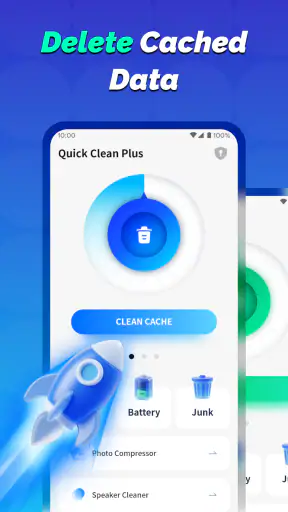
Quick Clean Plus
4.5513.00Reviews
Analysis ByAppCompare
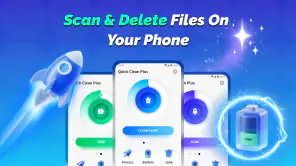
Quick Clean Plus is a free Android cleaning tool from StarOnline that focuses on one clear job: helping me deal with unnecessary files on my phone without turning the process into a complicated maintenance routine. After using it, my impression is that its appeal comes from simplicity rather than a long list of advanced controls. If you want a straightforward way to look for clutter and decide what can go, this app is easy to understand. If you expect a complete phone-management suite with deep diagnostics, it may feel limited.
The app belongs to the Tools category and is suitable for Everyone. It works on Android 7.0 and later, and version 1.2.0 is the release available to use. StarOnline presents it as “Quick Clean Plus,” but the useful question is whether that promise translates into a sensible everyday workflow. In my experience, the answer depends less on how often you clean and more on whether you are willing to review what the app identifies before removing anything.
What the cleaning capability actually changes
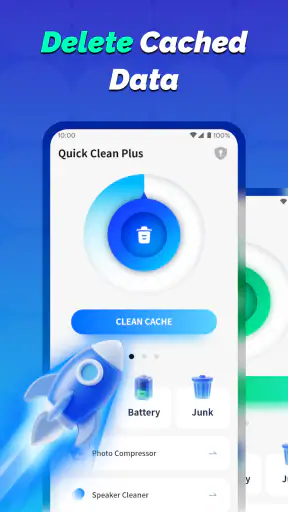
The central capability is phone cleaning: finding material that may no longer be useful and bringing it into one place so I can act on it. That sounds modest, but it solves a real problem. Android storage gradually fills with downloaded items, leftover files, repeated media and temporary material that is easy to forget. When storage becomes crowded, even locating the source of the problem can be more frustrating than deleting it.
Quick Clean Plus is most useful as a first pass. Instead of opening several folders and trying to remember which files are safe, I can begin with a broad review of potential clutter. The benefit is not that every suggested item should disappear. The benefit is that the app gives the cleanup process a defined starting point.
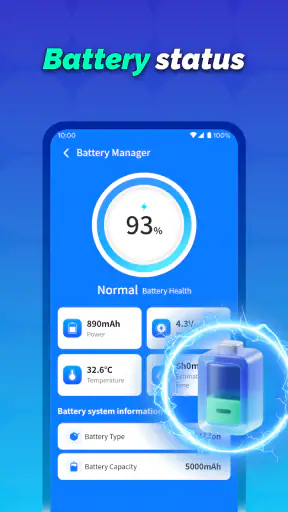
I would describe this as a convenience tool rather than a repair tool. It is designed for people who want a simpler route through storage maintenance, not for users trying to diagnose a failing battery, tune system performance or manage every application setting. That distinction matters because cleaning files cannot solve every phone problem. A device with an aging battery or a poorly optimized app will not become healthy simply because some storage has been cleared.
The strongest part of the concept is its narrow focus. Many utility apps try to combine cleaning, security, boosting, battery management and notifications into one crowded experience. Quick Clean Plus is easier to judge because its main purpose is visible from the beginning: inspect possible clutter and make room when appropriate.
Why a simple cleaner can still be useful
Storage problems are often caused by small decisions repeated over time. I save a video for later, download an attachment, take several versions of the same photo and forget about all of them. None of those actions feels significant, but together they make the phone harder to manage. A focused cleaner gives me a regular checkpoint before the problem becomes urgent.
That checkpoint is especially helpful when the phone starts warning about limited space. In that situation, manually searching through folders can lead to rushed deletions. A cleaner can make the candidates easier to see, while I remain responsible for deciding what matters. The real value is organized attention, not automatic deletion.
There is also a psychological advantage. A large storage screen filled with folders and file names can make cleanup feel like a technical task. A purpose-built tool reduces that barrier. I can approach the job as a short review rather than a full afternoon of file management.
How I would use it in practice
I would start a scan when I have enough time to look at the results instead of tapping through them automatically. The first pass should be treated as an inventory. I would check whether the suggested items are genuinely disposable, paying particular attention to downloads, media and files connected to work, school or travel.
My preferred workflow is to clean in small rounds. I would remove obvious leftovers first, then stop and check available storage before continuing. This approach is safer than trying to clear everything in one session because it makes it easier to notice if something important was selected by mistake.
A useful habit is to clean after a large event rather than waiting for a warning. For example, after returning from a trip, I might review downloaded maps, duplicate photos and temporary attachments while I still remember what each item is. The same principle applies after finishing a project: old exported images, presentation files and shared documents are easier to identify while their context is fresh.
I would also avoid using a cleaner as a substitute for a proper personal filing system. If a file is important, I would move or back it up deliberately before removing anything. Quick Clean Plus can help me find candidates, but it should not be the only place where I decide what deserves to be kept.
A realistic everyday scenario
Imagine I am about to record a long video at a family event and receive a low-storage warning. I do not want to spend ten minutes opening every folder, and I do not want to delete photos simply because they are large. I would open Quick Clean Plus, review its cleaning suggestions, and focus first on items I recognize as temporary or already saved elsewhere.
The important step is resisting the temptation to equate “large” with “unnecessary.” A large video may be valuable, while several small downloads may be completely disposable. I would use the app to narrow the search, then make the final choice based on context. If the cleanup creates enough working room, the app has done its job even if I leave many files untouched.
That scenario shows both the strength and the boundary of the tool. It can reduce the time needed to locate possible clutter, but it cannot know the personal meaning of a file. A cleaner is helpful precisely when I use it as an assistant rather than handing it complete control.
Where it differs from manual cleanup
Manual cleanup gives me maximum control, but it also demands patience. Android’s own storage screens may be enough for someone who already knows where large files live and how to review them. A file manager can offer more detailed browsing, sorting and moving options. Those alternatives are better when I need exact control over folders or want to reorganize files rather than simply remove clutter.
Quick Clean Plus makes more sense when the main obstacle is finding a starting point. It is less intimidating than a full file manager and more focused than a broad device-optimization app. The trade-off is that a simpler interface usually means fewer ways to investigate unusual files or build a detailed long-term filing system.
I would not install it expecting a dramatic speed transformation. Clearing space may make the phone feel less constrained when storage was genuinely crowded, but the result depends on what was removed and how much room was available beforehand. The app’s effect is most believable as improved storage housekeeping, not a guaranteed performance boost.
The trade-offs I noticed
The first trade-off is convenience versus certainty. A quick cleaning flow saves effort, but every automated suggestion deserves a glance. People who prefer to inspect file paths, dates and ownership in detail may find a dedicated file manager more reassuring.
The second is simplicity versus scope. Because the app concentrates on cleaning, it is easier to understand than a tool overloaded with unrelated functions. At the same time, it may not replace the broader controls already available in Android or a file-management app. I see that as a design choice rather than an automatic flaw, but it affects who should download it.
The third is routine versus emergency use. Quick Clean Plus can help when I make storage checks part of normal phone care. It is less suitable as a last-minute solution when I need to recover a large amount of space immediately and do not have time to verify every suggestion. In an emergency, I would first inspect the phone’s largest files and applications directly, because those may have a bigger impact than ordinary clutter.
There is also a human limitation: cleaning tools can encourage over-cleaning. If I run one frequently and treat every suggestion as waste, I may remove files that are useful later. My practical rule is simple: delete only what I recognize, what I have already stored elsewhere, or what I am comfortable losing permanently.
Who will benefit most
This app is a good fit for someone with an older Android phone who wants a less technical way to review storage. It is also useful for people who download many attachments, save media for offline use or regularly forget about files after sharing them. The Everyone age rating makes it approachable for a broad household audience, although younger users should still be guided before deleting shared family content.
It can also suit a person who dislikes complicated maintenance apps. The free price removes the need to commit financially before deciding whether the workflow fits. With more than a million installs, around ten thousand ratings and a 4.5 average, it has attracted substantial attention, while the five hundred-plus written reviews suggest that users have taken time to describe their experiences. Those figures are useful context, but they do not replace my advice to judge the cleaning process on your own phone.
I would be more cautious recommending it to power users who already maintain a careful folder structure. If you routinely use a file manager, cloud backup and Android’s storage tools, Quick Clean Plus may add convenience but not much capability. It is also not the right choice for someone seeking battery diagnostics, application management or a detailed explanation of every system process.
Small habits that make the app safer
I would never begin by selecting everything. I would review one group at a time and pause after each cleanup. This makes accidental removal less likely and helps me understand what kind of clutter is actually building up.
I would also keep personal backups separate from the phone. If a photo, document or recording matters, I would confirm that it exists somewhere else before deleting the local copy. A cleaning app can make removal convenient, but convenience should not replace backup discipline.
Finally, I would use the tool when the phone is calm rather than during a crisis. A monthly or occasional review is easier to do carefully than a rushed cleanup before an important recording, flight or work deadline. The app is at its best when it prevents storage pressure from becoming an emergency.
My recommendation after using it
Quick Clean Plus is a sensible choice if your main need is a simple way to inspect and reduce phone clutter. I like its focused purpose, free access and approachable direction. It does not ask me to learn a complicated storage system before I can begin, and that makes it more practical for ordinary maintenance than many overloaded utility apps.
My recommendation comes with one condition: treat its results as suggestions, not orders. The app can shorten the search for disposable files, but I still need to recognize what is safe to remove. Used that way, it offers a useful middle ground between completely manual cleanup and overly aggressive automation.
For a person who wants deeper file control, Android’s built-in storage tools or a full file manager may be better. For someone who simply wants a clear cleaning routine on Android 7.0 or later, this tool is easier to justify. StarOnline has kept the idea direct, and in my experience that restraint is its main strength. If your problem is forgotten clutter rather than a broken phone, Quick Clean Plus is worth trying as a careful first step.
FAQ
What is Quick Clean Plus and what does it do?
Quick Clean Plus is designed to help users manage and clean unnecessary files on an Android or iOS device. Depending on the version available for your platform, it may scan for temporary files, cached data, duplicate content, large files, and other items that take up storage space. Before cleaning, review the results carefully because some suggested files may still be useful to you.
Is Quick Clean Plus safe to use on my phone?
Quick Clean Plus can be useful for identifying storage that may be removable, but users should still check the app’s permissions and cleaning recommendations before confirming any action. A reputable cleaner should not need excessive access unrelated to storage management. Avoid deleting files manually unless you understand what they contain, and keep important photos, documents, and backups protected.
Can Quick Clean Plus improve my phone’s performance?
The app may help when your device is running low on storage by removing temporary data and organizing large or unused files. However, it cannot guarantee a major speed improvement, especially on newer phones or devices affected by battery wear, outdated software, or demanding background apps. Cleaning storage is helpful, but it is not a complete solution for every performance problem.
Does Quick Clean Plus delete personal photos, videos, or important files?
Quick Clean Plus should normally show categories or recommendations before anything is removed, but users should not assume every suggested item is disposable. Review duplicate photos, downloads, videos, documents, and application data individually whenever possible. If the app offers automatic cleaning, use it cautiously and create a backup of valuable content before running a large cleanup.
Is Quick Clean Plus free, and does it contain ads or subscriptions?
The availability of free tools, advertisements, premium features, and subscriptions can vary by platform, region, and app version. Check the official Google Play Store or Apple App Store listing before downloading to confirm the current pricing and in-app purchase details. Pay close attention during setup so that a trial or recurring subscription is not activated unintentionally.
Pros
- Quickly removes junk files and temporary data.
- Simple interface that is easy for beginners to navigate.
- Helps free storage space without requiring advanced settings.
- Useful tools for identifying large or unnecessary files.
- Runs on demand
- giving users control over cleaning sessions.
Cons
- Some features may require in-app purchases or subscriptions.
- Cleaning results can vary depending on the device and Android version.
- Aggressive cleanup may remove files users intended to keep.
- Ads may interrupt the experience in the free version.
- Background permissions could raise privacy concerns for some users.